Read receipts
All three sitesOpen a chat without sending “Seen”.
Replying can still mark a chat as read on two of them.
Works on three major social and messaging sites
A free Chrome extension that holds back read receipts, typing indicators, views on 24-hour posts and online status. They're stopped inside the page before they're sent — and it all happens on your device.
Free · No account · Nothing reaches our serversOn-demand site access · Six interface languages · Pause anytime

Your screen
Read and typing held back
Sam's screen
Delivered
Watch
In our two-account test
From our own testing in October 2026: two test accounts, with protection switched off, on, then off again. Read receipts were checked on one supported site and 24-hour posts on another. Timings vary with the site and the connection.
Features
Each one has its own switch on every site. What's available depends on the site.
Open a chat without sending “Seen”.
Replying can still mark a chat as read on two of them.
Write a reply without the other side seeing the typing dots.
Watch without showing up in the list of viewers.
Browse without showing as active right now.
Flip a switch and pages that are already open follow it — no reload.
One Protection switch in the popup pauses every site at once.
How it works
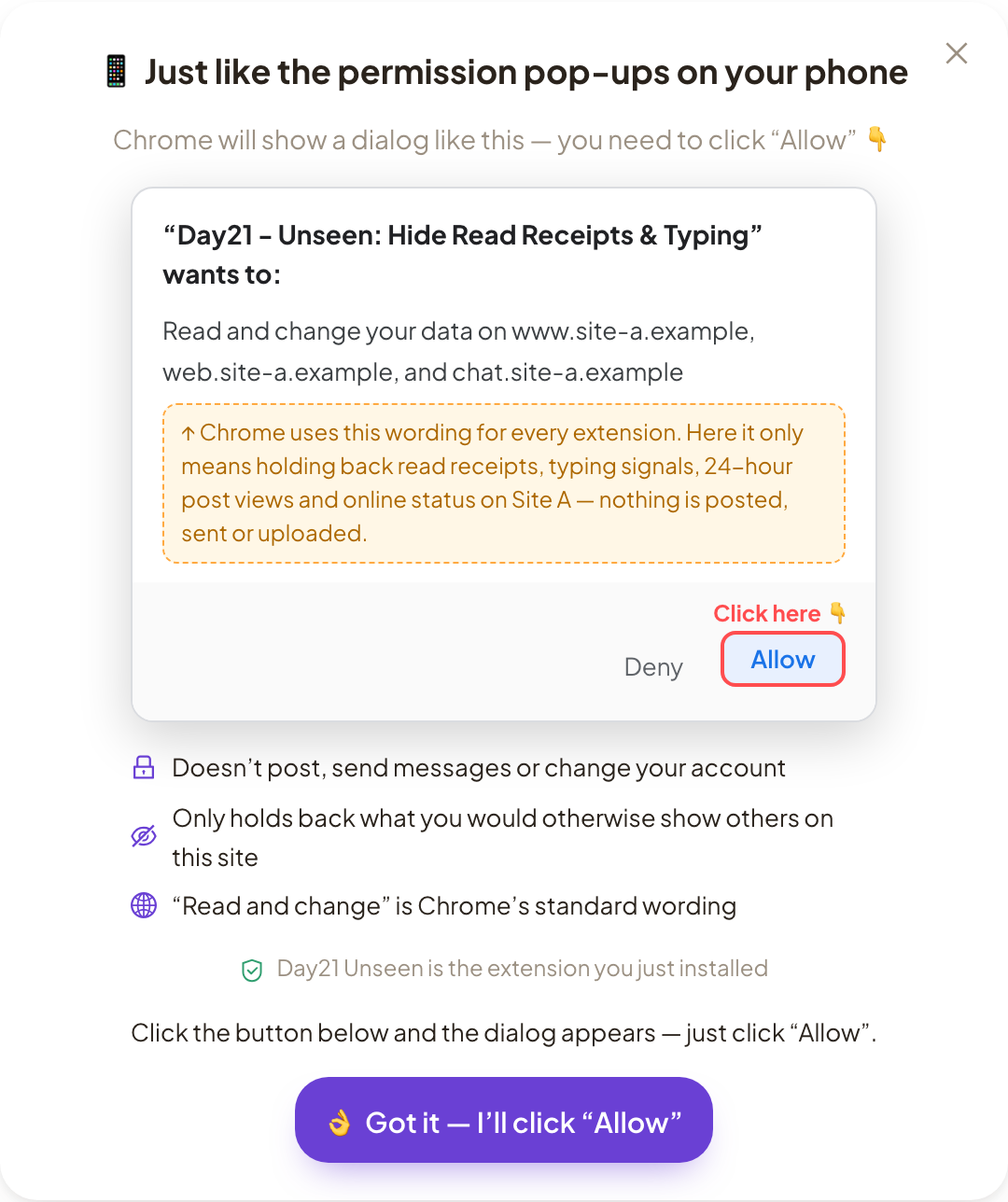
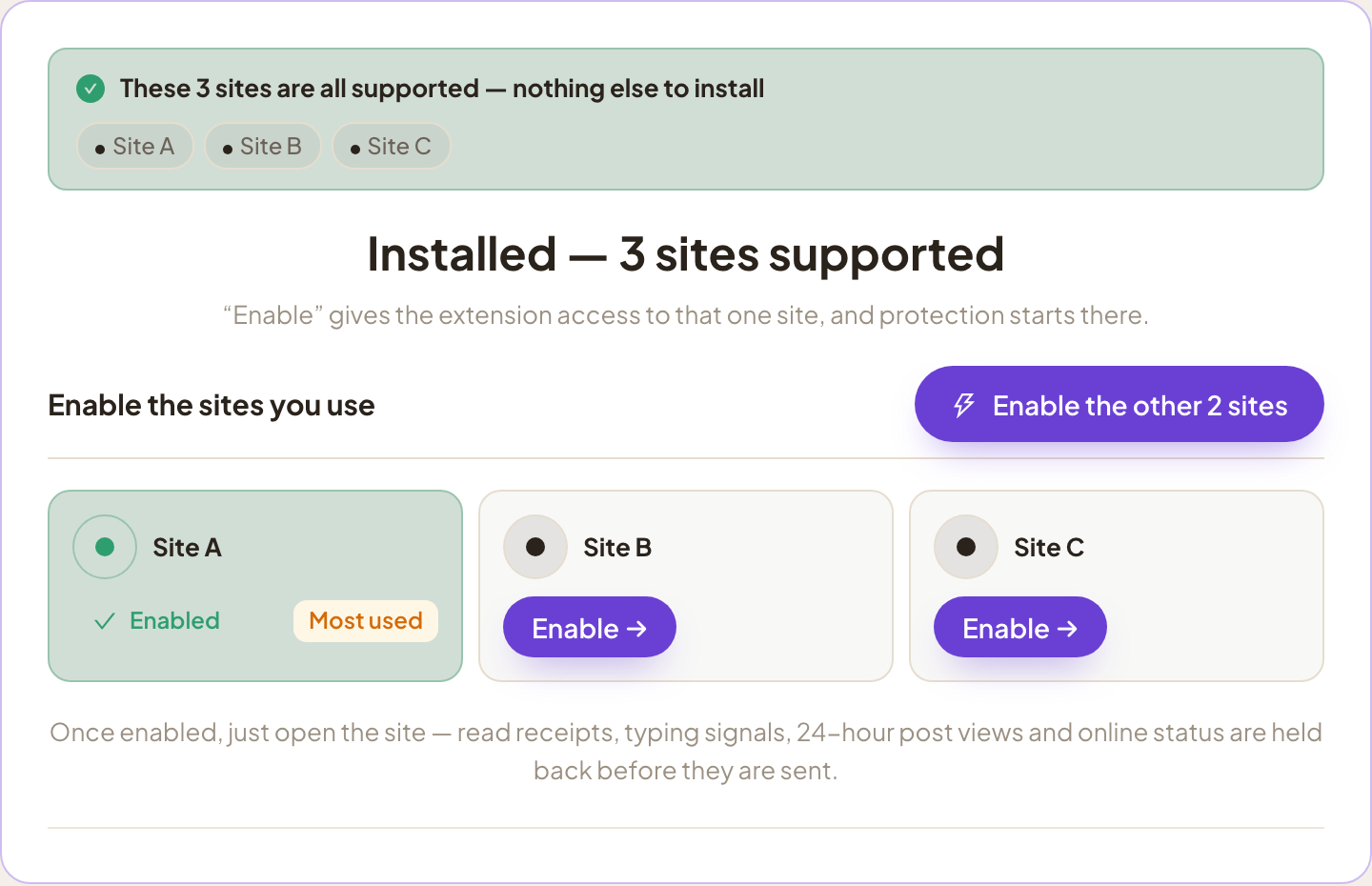
It installs with no site access. Click Enable for a site you use, and Chrome asks once — choose Allow.
Read chats and watch 24-hour posts the way you always do. The signals are held back inside the page before they're sent.
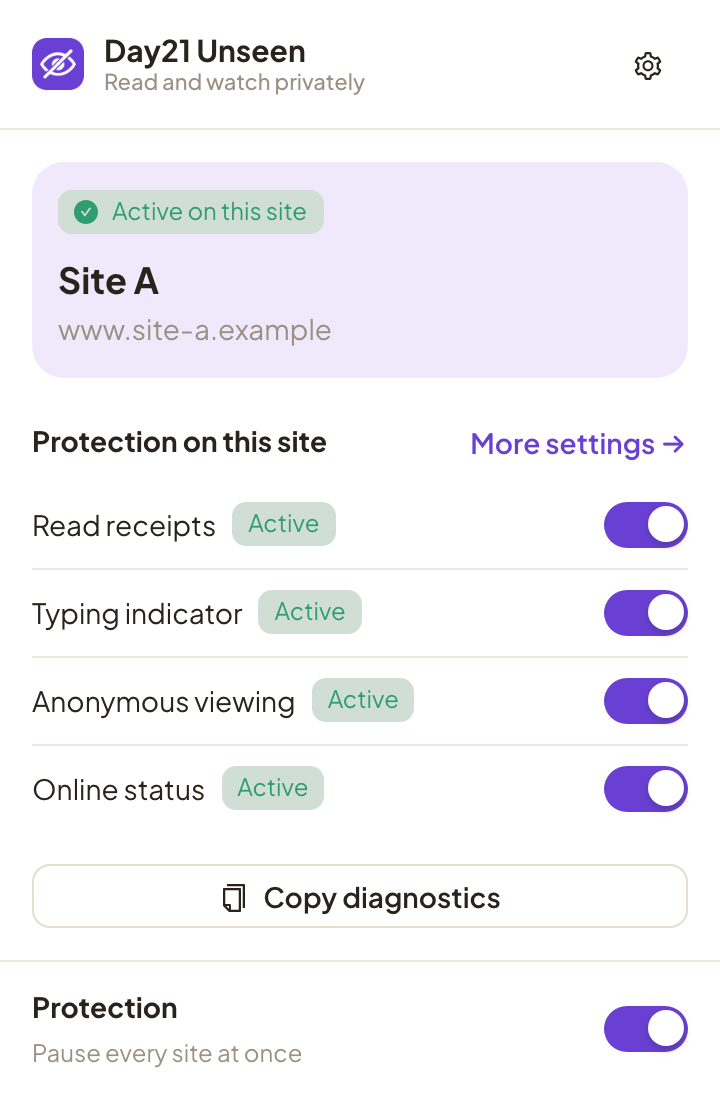
The popup shows “Active on this site” and a switch for each signal. One more switch pauses every site.
A closer look
Screens from the extension itself. Site names, addresses and a few labels are made generic.
See whether the current site is active and which protections are running there. The Protection switch pauses every site at once.
Before Chrome asks, a short guide shows the dialog you will see and which button to press. Chrome uses the same “read and change your data” wording for every extension.
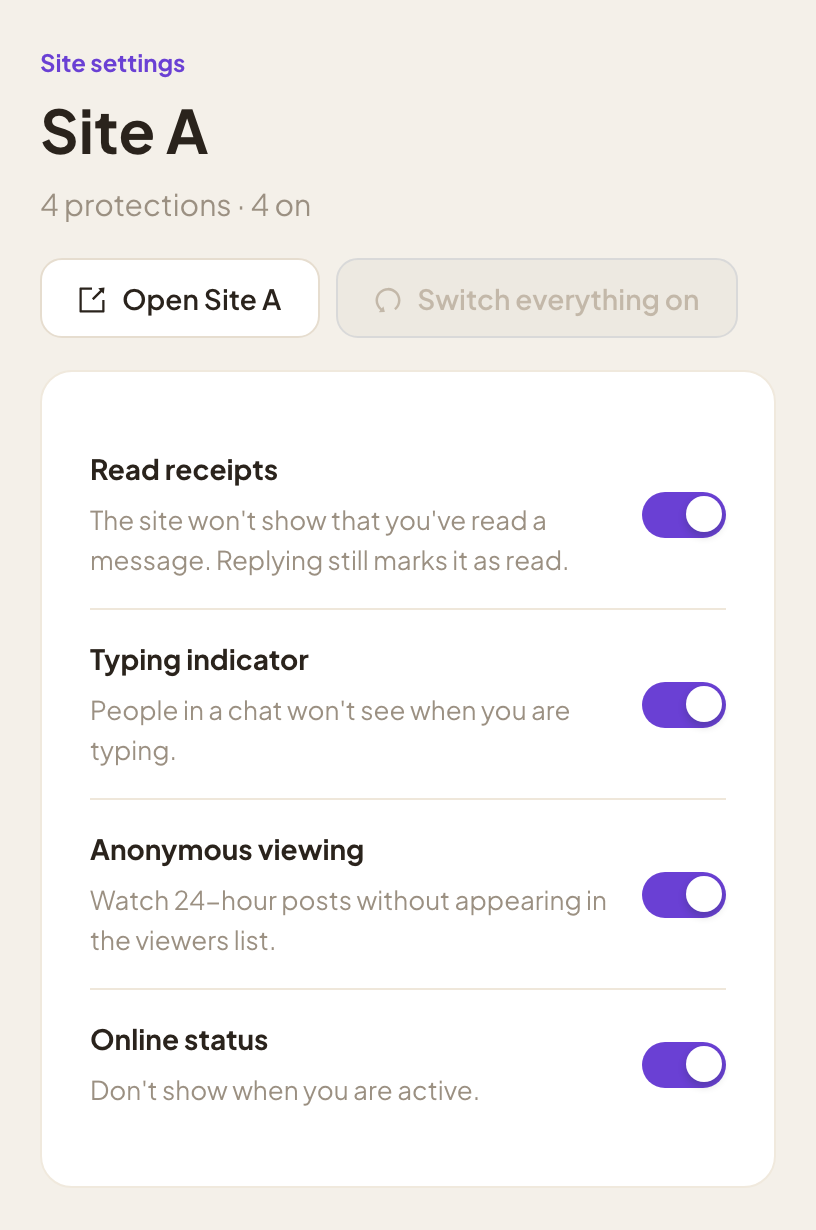
Every supported site has its own page of switches, with a one-click way to turn them all back on.
The welcome page lists the supported sites. Enable them one at a time, or all at once.
Privacy
No account. No analytics. No network requests of its own. Your switches stay in your browser, and this website runs no trackers either.
On one supported site, the extension removes the page's Content-Security-Policy headers so that some protections can work. The privacy policy explains what that means.
Read the privacy policyAbout
Day21 makes small, privacy-first browser tools. Unseen starts from a simple idea: reading a message shouldn't oblige you to answer it right away. You decide when the other person knows.
Sites change their code often, so now and then a protection may stop working until we update it. The popup shows which switches are active on the page you're on, and you can copy a short diagnostics report to send us.
Three major social and messaging sites, including the chats built into them. We keep this site platform-neutral, so we don't name them here. After you install, the extension lists the sites it supports and you enable the ones you use.
Read receipts and typing indicators are held back on all three. Views on 24-hour posts and online status are held back on the two sites that show them.
It can. On two of the sites, sending a message can tell the other person you've read the chat — that's part of how sending works there, and the extension doesn't block it.
On the third site, replying doesn't mark the chat as read. Messages you read with the switch on stay unread for the other person until you open a newer message with the switch off; then they're marked as read together.
No. Each switch is checked at the moment a signal is about to be sent, so changes apply right away on pages that are already open. The popup asks for a reload only when a page was opened before the extension could run on it.
No. It doesn't read, store or send your messages, contacts or posts. On two sites it works inside the page's own code and stops the signal before it goes out.
On the third site, it looks only at the type of each outgoing chat event and holds back the read and typing events. Message text there is end-to-end encrypted, and the extension never reads it.
That's Chrome's standard wording for site access. The extension needs it to run inside the pages of the sites you enable and hold signals back before they're sent. It uses the access for nothing else; the privacy policy explains each permission.
Access is on demand. The extension installs with no site access at all and asks for a site only when you enable it. You can turn a site off at any time.
On one of the three sites, a little. There the extension removes the page's Content-Security-Policy headers, which would otherwise block part of how it works. While that site is enabled, it loses that layer of protection in your browser; turning the site off restores it. The other two sites are not changed.
Sometimes. Another extension that takes over the same parts of a page can stop this one from working there. When that happens, the popup tells you; turn the other extension off for that site and reload.
Free to install, no account needed. Questions? We're happy to help.