
Social platform 1
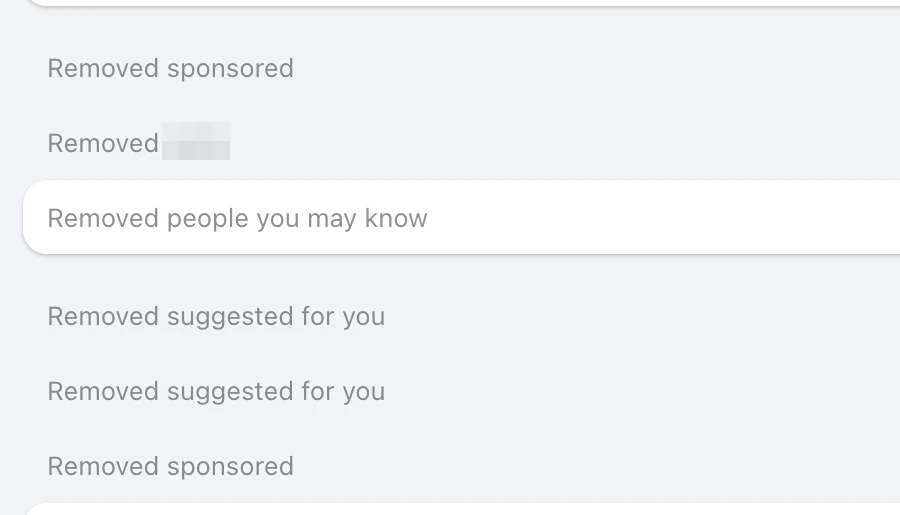
Six ads and suggestions collapsed into single grey lines.
Works on most major social platforms
A free Chrome extension that hides ads, sponsored posts and suggested content on most major social platforms. They're swapped out as the page renders, rather than removed after they appear — and it all happens on your device.
Free · No account · Nothing reaches our serversOn-demand site access · Six interface languages · Pause anytime

Watch
In our 10-minute test
From our own testing: 10-minute sessions on the home timeline of a major social platform, averaged, comparing the extension on and off. The count includes both ads and suggestions. Results vary with the site, the account and how you browse — the extension counts yours, in your browser.
On real pages
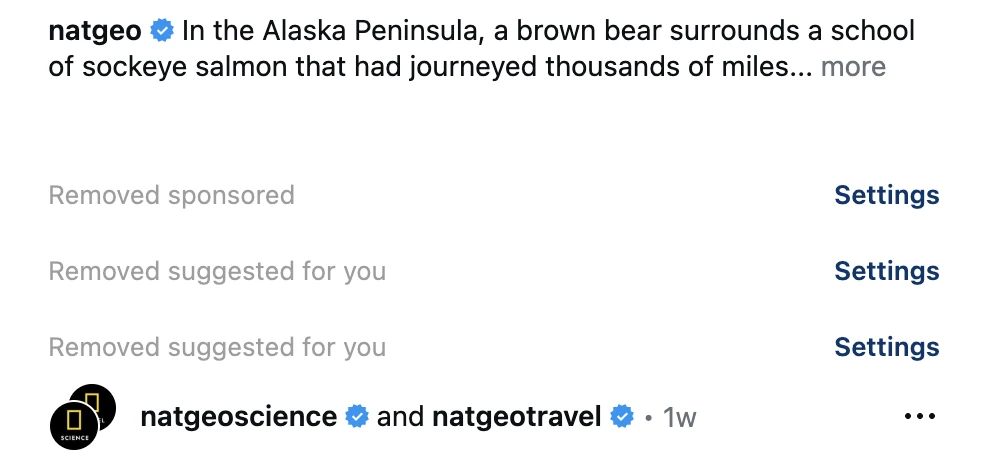
Captured on real pages with the extension installed, then cropped. Platform names and logos, and anything identifying the account we captured with, are hidden; the pages were set to English. Debug and normal views were taken at different moments.
Six ads and suggestions collapsed into single grey lines.
A sponsored post and two suggested posts, each now one grey line.
A sponsored post reduced to one grey line between real posts.

Social platform 1Debug mode · What it catches1 / 6
Debug mode marks the sponsored video it would hide.
Social platform 1Normal · What you see2 / 6
Six ads and suggestions collapsed into single grey lines.

Social platform 2Debug mode · What it catches3 / 6
A sponsored post, labeled with the switch that would hide it.
Social platform 2Normal · What you see4 / 6
A sponsored post and two suggested posts, each now one grey line.

Social platform 3Debug mode · What it catches5 / 6
A promoted video post, flagged in Debug mode.

Social platform 3Normal · What you see6 / 6
A sponsored post reduced to one grey line between real posts.
Social platform 1Debug mode · What it catches1 / 6
Debug mode marks the sponsored video it would hide.
Social platform 1Normal · What you see2 / 6
Six ads and suggestions collapsed into single grey lines.
Social platform 2Debug mode · What it catches3 / 6
A sponsored post, labeled with the switch that would hide it.
Social platform 2Normal · What you see4 / 6
A sponsored post and two suggested posts, each now one grey line.
Social platform 3Debug mode · What it catches5 / 6
A promoted video post, flagged in Debug mode.
Social platform 3Normal · What you see6 / 6
A sponsored post reduced to one grey line between real posts.
Social platform 1Debug mode · What it catches1 / 6
Debug mode marks the sponsored video it would hide.
Social platform 1Normal · What you see2 / 6
Six ads and suggestions collapsed into single grey lines.
Social platform 2Debug mode · What it catches3 / 6
A sponsored post, labeled with the switch that would hide it.
Social platform 2Normal · What you see4 / 6
A sponsored post and two suggested posts, each now one grey line.
Social platform 3Debug mode · What it catches5 / 6
A promoted video post, flagged in Debug mode.
Social platform 3Normal · What you see6 / 6
A sponsored post reduced to one grey line between real posts.
Social platform 1Debug mode · What it catches1 / 6
Debug mode marks the sponsored video it would hide.
Social platform 1Normal · What you see2 / 6
Six ads and suggestions collapsed into single grey lines.
Social platform 2Debug mode · What it catches3 / 6
A sponsored post, labeled with the switch that would hide it.
Social platform 2Normal · What you see4 / 6
A sponsored post and two suggested posts, each now one grey line.
Social platform 3Debug mode · What it catches5 / 6
A promoted video post, flagged in Debug mode.
Social platform 3Normal · What you see6 / 6
A sponsored post reduced to one grey line between real posts.
Social platform 1Debug mode · What it catches1 / 6
Debug mode marks the sponsored video it would hide.
Social platform 1Normal · What you see2 / 6
Six ads and suggestions collapsed into single grey lines.
Social platform 2Debug mode · What it catches3 / 6
A sponsored post, labeled with the switch that would hide it.
Social platform 2Normal · What you see4 / 6
A sponsored post and two suggested posts, each now one grey line.
Social platform 3Debug mode · What it catches5 / 6
A promoted video post, flagged in Debug mode.
Social platform 3Normal · What you see6 / 6
A sponsored post reduced to one grey line between real posts.
Social platform 1Debug mode · What it catches1 / 6
Debug mode marks the sponsored video it would hide.
Social platform 1Normal · What you see2 / 6
Six ads and suggestions collapsed into single grey lines.
Social platform 2Debug mode · What it catches3 / 6
A sponsored post, labeled with the switch that would hide it.
Social platform 2Normal · What you see4 / 6
A sponsored post and two suggested posts, each now one grey line.
Social platform 3Debug mode · What it catches5 / 6
A promoted video post, flagged in Debug mode.
Social platform 3Normal · What you see6 / 6
A sponsored post reduced to one grey line between real posts.
Features
Each item has its own switch, and every site is tuned on its own. What's available depends on the site.
How it works
It installs with no site access. Enable the sites you use, and your browser asks once for each one.
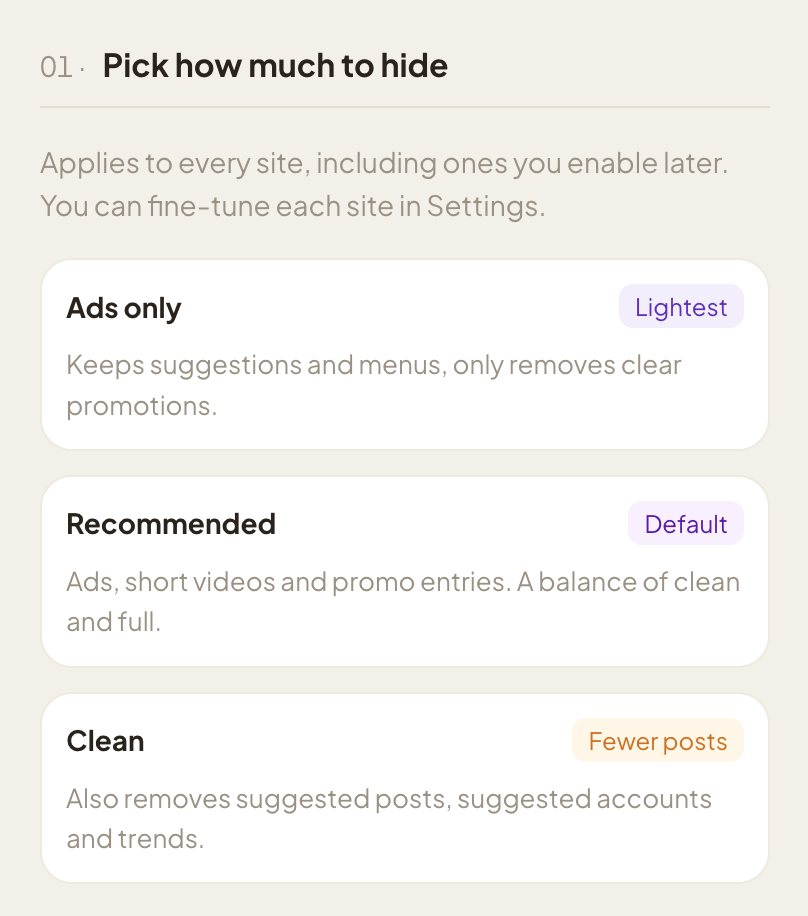
Ads only, Recommended or Clean. Every switch stays adjustable per site afterwards.
Pages render without the clutter. The toolbar icon turns colored on enabled sites; its popup shows how much was hidden and pauses everything in one click.
A closer look
Screens from the extension itself. Site names and a few labels are made generic, and the numbers are examples.
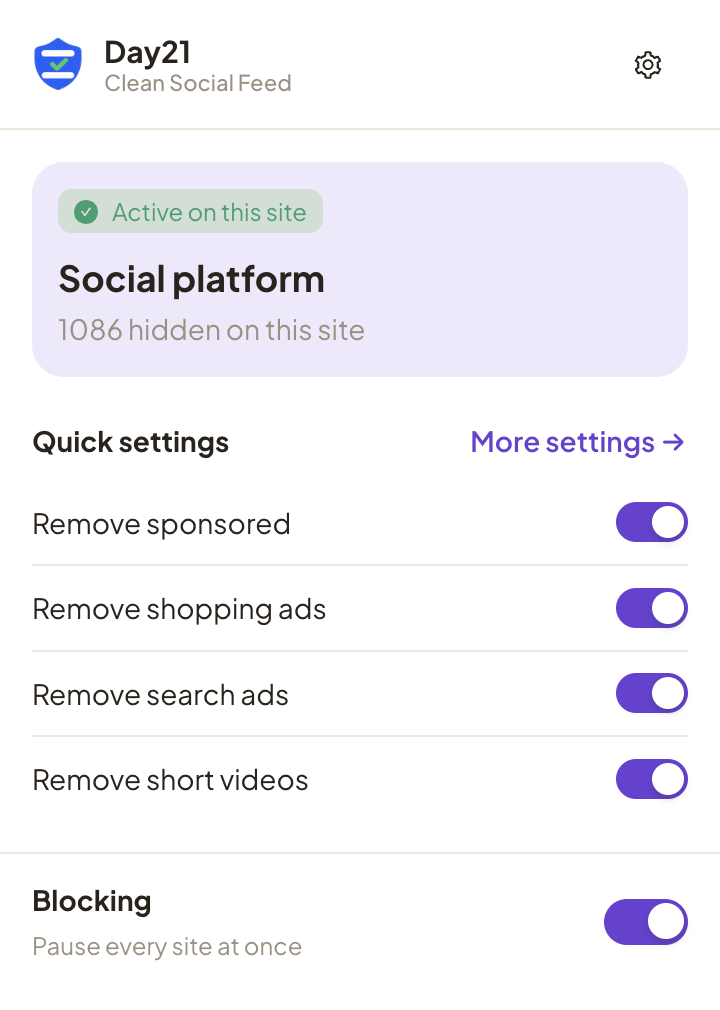
See whether the current site is active and how much was hidden there. The Blocking switch pauses every site at once.
Ads only keeps suggestions and removes clear promotions. Recommended is the default. Clean also turns on every suggestion switch — suggested posts, accounts, trends and more.
41 switches across the supported sites, grouped into ads, suggestions, and interface & notifications. Restore a site's recommended set whenever you like; a full reset keeps your stats and site access.
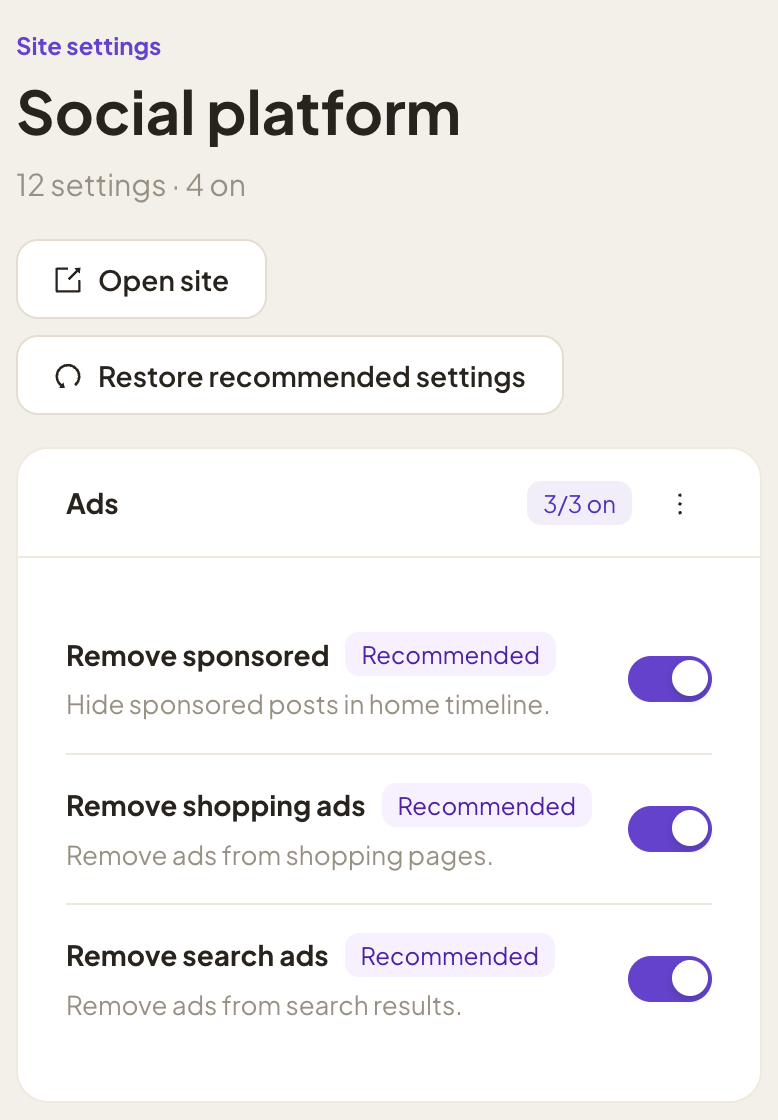
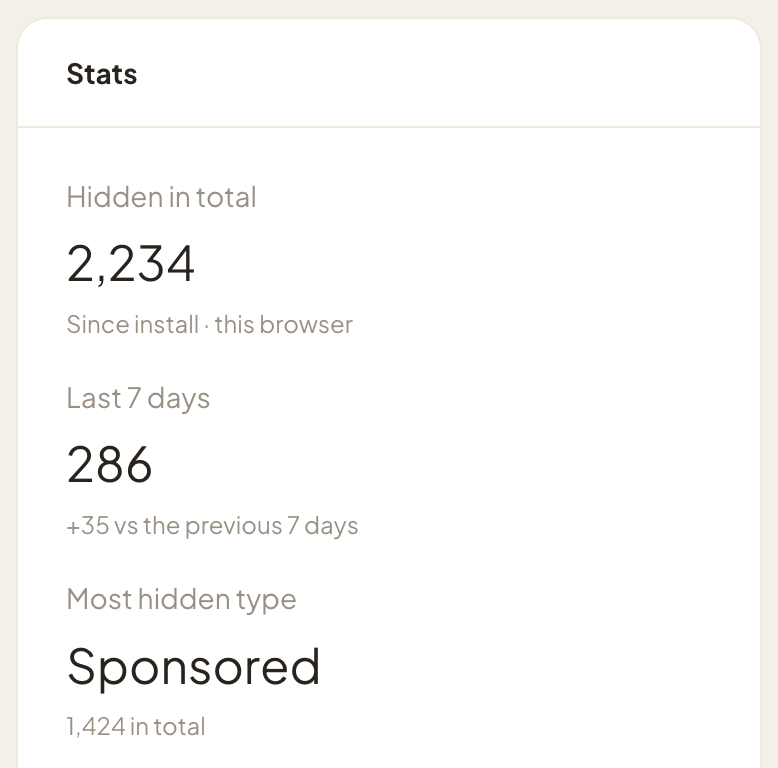
Hidden in total, the last 7 days, and a breakdown by site — kept only in this browser.
Privacy
No account. No analytics. No network requests of its own. Your settings and counts stay in your browser, and this website runs no trackers either.
Read the privacy policyAbout
Day21 makes small, privacy-first browser tools. Clean Social Feed starts from a simple idea: the sites you open to keep up with people should mostly show you those people — not a stream of promotions and suggestions.
Platforms change their pages often, so now and then something may slip through or be hidden by mistake. Every switch can be turned off, and Debug mode marks what the extension would hide.
Most major social platforms. We keep this site platform-neutral, so we don't name them here. After you install, the extension lists the sites it supports and you enable the ones you use.
Yes — free to install and use, with no account and no paywall today. Features and pricing may change over time.
No. There's no account and no analytics, and the extension makes no network requests of its own, so nothing reaches our servers. Your settings and counts stay in your browser.
Mostly from the structure of the page — for example, whether an item is marked as sponsored or suggested. It doesn't analyze the images or video you see. Each kind of item has its own switch.
Turn the matching switch off, or pick a lighter level — right after a level change, you can undo it. To find the responsible switch, turn on Debug mode: it marks what would be hidden with a red label instead of hiding it (a few items are simply shown unhidden).
Chrome's prompt says the extension can “read and change your data” on that site. It needs that to swap ad and suggestion blocks as the page renders, which on most sites also means removing the site's Content-Security-Policy headers. It uses the access for nothing else; the privacy policy explains each permission.
Access is on demand. The extension installs with no site access at all and asks for a site only when you enable it. You can turn a site off at any time.
Free to install, no account needed. Questions? We're happy to help.